




Goldzino App: Mobile Casino Gaming
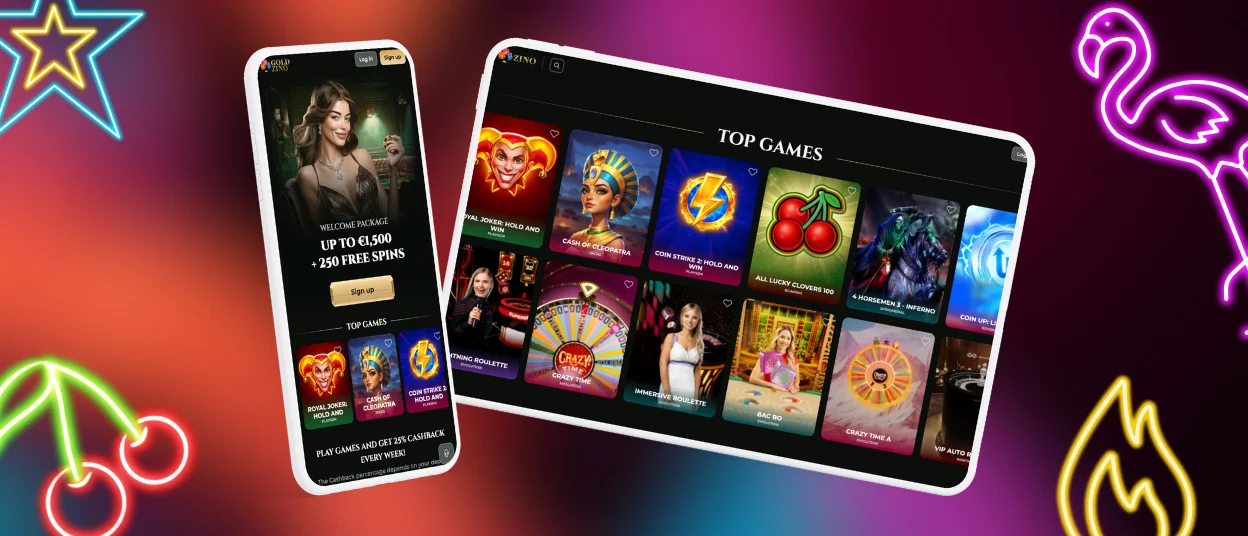
The Goldzino App allows a convenient casino experience right via your mobile device. Using the mobile version, you can play your favorite games, including the most popular online slots and numerous table games, and even take part in live casino activities. Our extensive catalog on mobile is the same as on desktop, so we guarantee you that you won’t miss anything. The app is absolutely free and can be installed on both iOS and Android operating systems, as well as on macOS and Windows.



Benefits and Features of the Goldzino App
If you have ever dreamed about playing on the go, then the mobile app will certainly seem more attractive to you than the desktop version. The Goldzino app is essentially a progressive web application (PWA) that acts as a shortcut to our main website. After the installation is done, all you have to do is click on the icon of the casino when you want to play; no need to navigate to the browser version ever again. This way, you can access our catalog of games right from your home screen.
All the features and games in the Goldzino casino application remain the same as in the desktop version. However, it is better suited for players who prefer to gamble on the go without needing to sit constantly in front of their PC.
Here are the main advantages of using the Goldzino app compared to the PC version:
- Simple access: Accessing your Goldzino casino account and all your favorite games is much easier via a mobile device than the desktop version. It is done in only a few clicks.
- Mobility: The Goldzino app allows you to travel around while playing online casino games. No need to stay at home behind your desk; you can easily access modern slots or table games on the go.
- Speed: The Gold Zino PWA instantly displays casino interfaces on your screen by using smart cache key assets. This allows you to access all the features of the online casino almost instantly.
- Offline functionality: Previously loaded content stays visible at Gold Zino, which means that you can access all the personal information in your account even when disconnected from the internet.
- Push notifications: If you allow the Goldzino app to do so, we can regularly send you new information about interesting events and promotions. With the mobile version, you can be the first to receive the Goldzino updates.
It is worth mentioning that the Gold Zino application is available not only on iOS and Android but also on desktop. The Goldzino app supports macOS and Windows operating systems, making it possible for users to access a faster and more convenient version of the website even on their PCs.
Mobile Application for iOS
The Gold Zino iOS application doesn’t differ much from the Android version, except that it is adapted for Apple devices. The installation process is also very quick and won’t take more than a few seconds. Here is how to proceed:
- Go to our website using the browser on your phone.
- Select the “Add to Home Screen” option in the browser’s settings.
- Simply click the button to begin the installation process.
- Allow a few seconds for the casino icon to appear on the screen of your device.
Once the Goldzino casino app has appeared on your screen, you can click on it and access your personal account by logging in. After signing into your account, all that is left to do is make a deposit after the verification process and start playing your favorite games. If you encounter any problems, you can always contact the live chat.

Goldzino App for Android
It is known that most Android mobile casino apps are in the Android Package Kit format. However, there’s a difference between APK and PWA. For example, the APK apps usually take up a lot of space in the device’s memory compared to PWA, which are very lightweight. Also, the launch time of APK is usually significantly higher. That’s exactly why our team decided to go for a PWA mobile application when designing the Goldzino app.
Here are the steps to take to install the Goldzino app on your Android device:
- Visit our official website using your preferred mobile browser.
- To access the menu, click the three-dot icon in the address bar.
- From the list, choose “Add to Home Screen.”
- To begin the installation process, tap the button.
After following these small steps, the Goldzino casino icon will appear on your home screen in a matter of seconds. To play, just click this icon to access the casino.
Play Gold Zino Casino on Mac or Windows
As already mentioned earlier, the Goldzino app isn’t restricted only to mobile devices operating on iOS or Android. Our application perfectly supports Windows and macOS, making it accessible on computers. You are probably wondering about the benefits of the mobile app on a desktop. Well, the Goldzino app basically allows faster access to the game library with reduced loading times compared to the browser version. Also, it is much more convenient since it is optimized for your operating system.
The installation procedure is very simple: just go to our official website and click the installation button in the address bar, which resembles an arrow on a computer screen. Next, press the installation button again, and you’re finished. After the installation is complete, the Goldzino app icon will appear on your screen. In case you encounter difficulties, please contact the Support Team.

How to Install the Goldzino App on Any Device
Installing Goldzino is a very straightforward and universal process that remains almost the same across most devices. Since the Gold Zino app is a PWA, it allows you to get an intuitive gaming experience, eliminating the need for traditional app stores. Follow the steps below to install Goldizno on your home screen or desktop for quick access to your favorite casino games.
| Device | Instructions | Result |
| iOS | Go to the Goldzino casino, then press the “Share” symbol. Choose “Add to Home Screen” after scrolling. | The icon shows up on your home screen. |
| Android | Open your browser and go to Goldzino Casino. Choose “Install app” or “Add to Home Screen” after tapping the menu (three dots). | The icon shows up on your home screen. |
| Windows | Visit Goldzino Casino in your browser. Click the install icon (+) in the address bar or find “Install app” in the browser menu. | You can see the icon on your desktop and Start menu. |
| MacOS | Go to Goldzino in Chrome or Safari. In Safari, use “File” > “Add to Dock.” In Chrome, use “Install Goldzino” in the menu. | Icon shows up as a desktop application in Chrome or in your Dock in Safari. |
FAQ
Do I need a separate account for the Goldzino app?
No, there’s no need to create a separate account for the Goldzino app. All the information in your personal Goldzino account remains the same across all devices. You can log in via an Android or iOS mobile device, and everything will be the same as on a desktop.
Is it safe to use the Goldzino app for payments?
Yes, absolutely. Goldzino is secure for payments. It uses the same encryption as its desktop site, so all transactions are secure. The Gold Zino site has a real gambling license, which shows strong financial security and data protection. Payments are processed by well-known suppliers, adding an extra layer of security.
Do I get the same games on mobile as on desktop?
Yes, the Goldzino casino mobile version provides access to the same catalog of games as the desktop version. All slots, live dealer tables, and features are the same, and each game is automatically tuned for smooth play on your mobile or tablet device.
Are bonuses and tournaments available on mobile?
Yes. The Goldzino app offers all of the same bonuses, promotions, and tournaments as the desktop version. With the app, players have full access to the Gold Zino platform, including the ability to claim offers and participate in any tournament directly from their mobile device.


